Showing posts with label Google docs in the classroom. Show all posts

Monday, 24 September 2012

Tools for Changing/Improving PD and Meetings


Professional Development and Faculty Meetings are typically held face-to-face and many times are longer than they need to be, or too much time is spent on things that only affect a small percentage of those present. There are some tools and resources that can be used to change how and when PD and Meetings are held.

Access everywhere
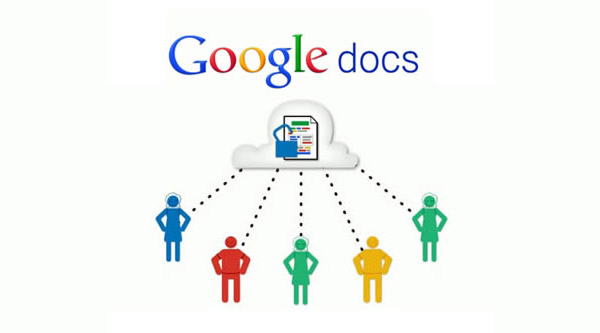
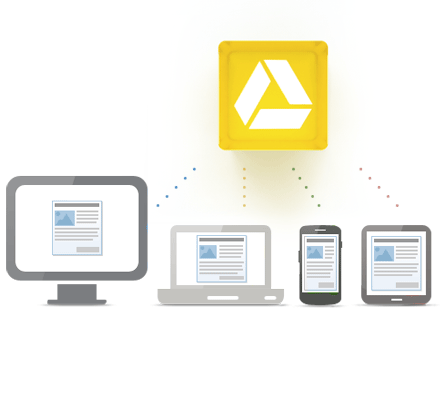
1. Google Docs/Google Drive - use Google Docs for meeting and PD agendas and shared resources. Participants can edit it in real time, or offline, for collaboration and meeting notes and minutes. Share the agenda ahead of time. Don't print things anymore.


2. Google+ - use Google+ and create a Circle for your PD or meeting groups and hold online discussions, post resources, and more, all online.


3. Google+ Hangouts - use this video conferencing tool to hold virtual meetings and training sessions.


4. Evernote - use Evernote to take meeting notes, prepare resources for PD, and then share all of that with others. Limit paper and make it easier to share resources.


5. Edmodo - Edmodo is a closed, private social network. You can set up groups for meetings and PD and share resources, have online discussions, and more using it.

edcamp
6. EdCamp model - the Edcamp model puts the participants in the driver's seat for PD (and meetings) and allows for PD to be more meaningful.


What ideas and resources do you use for meetings and PD?


Monday, 23 April 2012

Free Google Docs CheatSheet - great resource for Google Docs users


MakeUseOf, a very useful site, has a great booklet available as a free download: The Google Docs CheatSheet.


Google Docs is one of my favorite, and most used web apps. It includes a word processor, spreadsheet, presentation, drawing, and forms apps that are free, and online and have some great features, including real-time collaboration with multiple users. 

This cheat includes handy keyboard shortcuts, web browser addons aimed at Google Docs users and a number of useful third-party sites that add additional features to Google Docs

If you use Google Docs, this is a very handy resource. Go here to download it: http://www.makeuseof.com/pages/google-docs-cheat-sheet


Related:

Google Resources for Education - tips, how-to's, getting started, lesson ideas, and much more

52 Google Docs Secrets for Students

Excellent Google Docs Resource


Tuesday, 10 April 2012

Excellent Google Docs Resource


Google Docs is one of my favorite resources for myself, other teachers, and students. I use it constantly and when I share it with other teachers, friends, or my students, they are usually impressed and start using it too.

There are tons of features and functions in Google Docs that make using it extremely useful and effective as an educational tool. The fact that it's free, online, and collaborative make it great for students. Word Processing, Presentations, Forms, Drawings, and Spreadsheets. Google keeps adding more features too.


Richard Byrne has created an excellent Google Docs resource over at his blog, Free Technology for Teachers. It is a free ebook, in PDF form, that covers everything a teacher needs to know about Google Docs, from signing up, to creating, sharing, and publishing docs, to creating and using forms and even creating self-grading quizzes.

This is a resource that should be shared with all teachers who use, or want to get started using, Google Docs.


Related:

Google for Educators Resources - tips, using in education, resources, training, apps, and much more.

my other favorite resource: Evernote for Education - resources, tips, ideas and more

Presentation on Google for Educators

Why I use Google's Products as an Educator (and how)

Google Resources - Resources to highlight various ways to use Google Apps for instruction and student use
http://its.leesummit.k12.mo.us/google.htm

Google Apps for Education Training Center - http://edutraining.googleapps.com/Training-Home - great resources to learn how to use Google Apps in the classroom.

Google for Educators- Resources for using Google in School: http://goo.gl/4rEZd